

Getting started
By the end of this page you will have TrazoForms installed and your first form saved, ready to publish.
Requirements
Section titled “Requirements”- WordPress 6.5 or later.
- PHP 7.4 or later.
Install TrazoForms
Section titled “Install TrazoForms”The free version is in the WordPress.org plugin directory, so you install it from your own dashboard:
- Go to Plugins → Add New Plugin.
- Search for TrazoForms.
- Click Install Now, then Activate.
You can also see the plugin’s page on WordPress.org. To add the Pro features, see the pricing page.
Create your first form
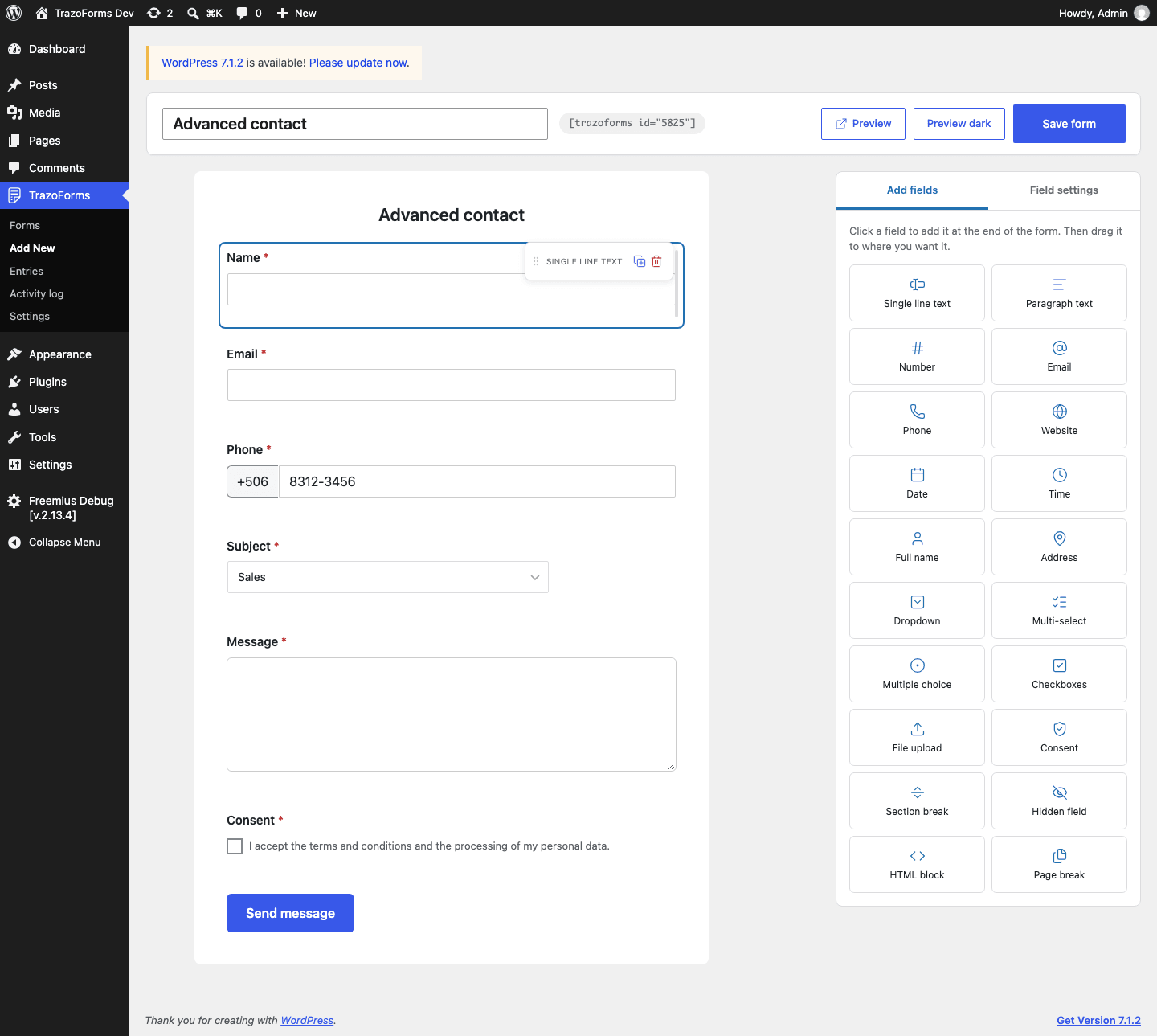
Section titled “Create your first form”- In the WordPress dashboard, go to TrazoForms → Add New.
- Choose a template, or Blank form to start from scratch. See Templates for what each one includes. You can change any field later.
- Give the form a title at the top of the screen.
- Adjust the fields. Click any field in the preview to see its settings on the right.
- Click Save form.
Next steps
Section titled “Next steps”- Templates: the ready-made forms you can start from, in detail.
- Publish a form: put your saved form on a page.
- The builder: how the editing screen is organized.
- Field types and field settings.